

Please reach out to support@jumpro.pe if you have questions about setting up Class Grades for your school.
See first How to - Administrative Setup for Class Grades. 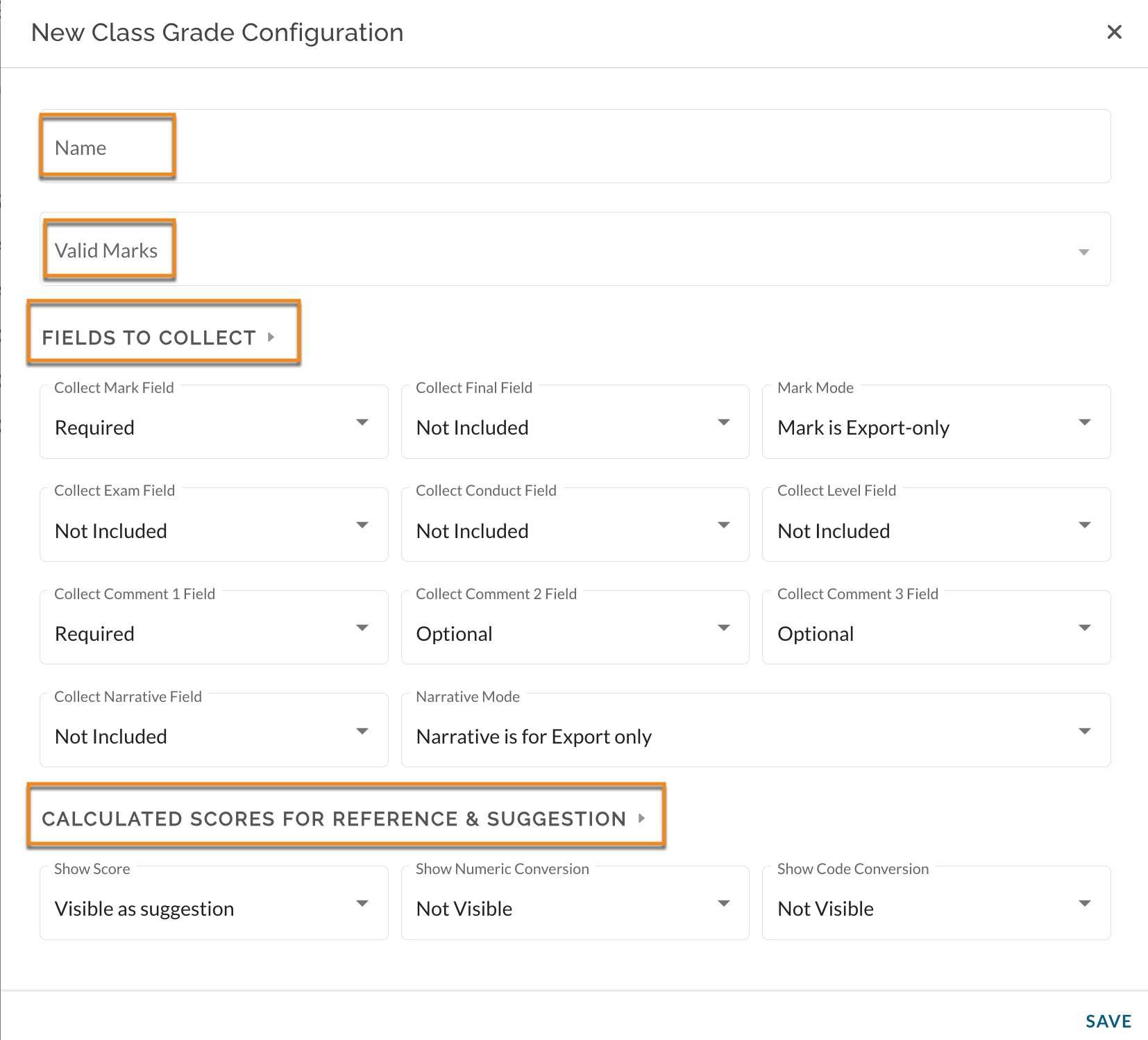
1. Name
Enter a name you would like to give the class grade configuration. Please note, a Class Grade Configuration can be applied to more than one grading period, so the name should be general enough to reflect its potential reuse.
2. Valid Marks
This view provides a list of all acceptable grades/marks available to teachers when using Class Grades. See also, Class Grades How to - Setup Valid Marks
3. Fields to Collect
This section identifies the set rules for various fields that teachers will be expected to enter values for. See also, Class Grades How to - Setup for Fields to Collect
4. Calculated Scores for Reference & Suggestion
Calculated Gradebook scores and suggested conversions can be displayed to teachers. References are displayed as "Not Visible", "Visible as reference" (a read-only view), "Visible as suggestion". The latter option creates a suggestion for the teacher that has actionable options, namely, rounding up or down of a student's score. See also, Class Grades How to - Setup for Calculated Scores for Reference & Suggestion