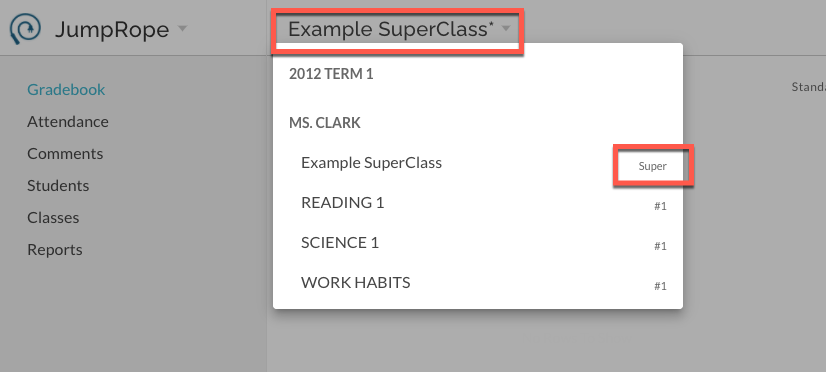
SuperClasses should generally be created before entering any Plan or Grade data in the underlying classes. They are a JumpRope feature included with the Attendance add-on. A SuperClass is a roster of combined, concurrently scheduled class sections. For the purposes of taking attendance the rosters are automatically combined. For Planning and Gradesheet score entry, they can be explicitly combined using the instructions below. Learn more about SuperClass behavior here.
Important to Know Before you Create a SuperClass for Plan and Grade!
Creating a SuperClass archives the underlying class sections. This means that any Plan or Grade data a teacher has already created within those underlying classes, before they make the SuperClass, will be archived.
Archived data is not removed from student mastery reports; it continues to be a part of a students' mastery report. Archived classes are not active in a teachers' Plan or Grade. A teacher will not see any archived data in their views for Classes, Plan, or Grade. If you need to make changes to Plan (assessments, standards, etc) or Grade (scores that have been entered) please reach out to our support team for guidance on un-archiving. If you don't need to change the scores you've already entered, then there's no need to un-archive. See more here: SuperClasses FAQs
Create a SuperClass for Plan and Grade
In Attendance, identify classes that are eligible to be a SuperClass by the *. Select Create SuperClass from the more items menu.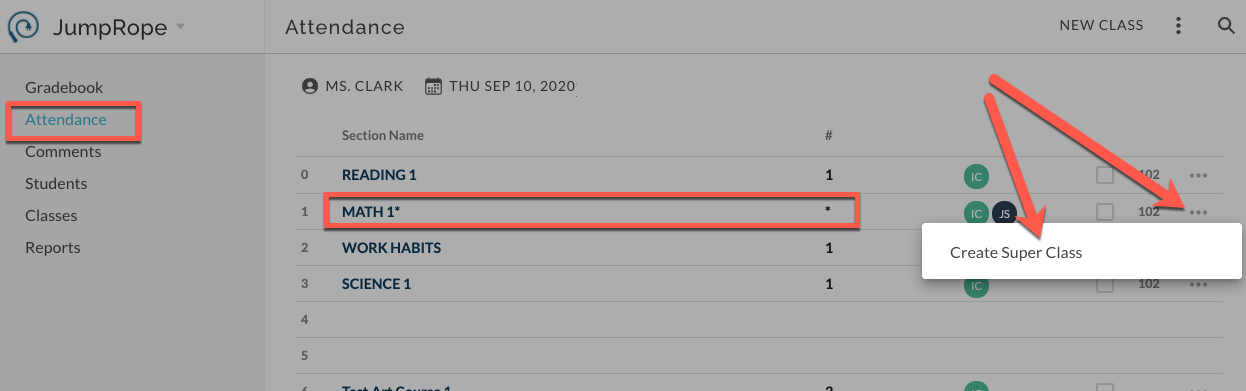
In the Create SuperClass modal that opens, enter a name for the class, confirm the teachers that this will affect (all co-teachers will have the SuperClass created for them and their underlying classes will also be archived), and confirm the class sections that are being combined.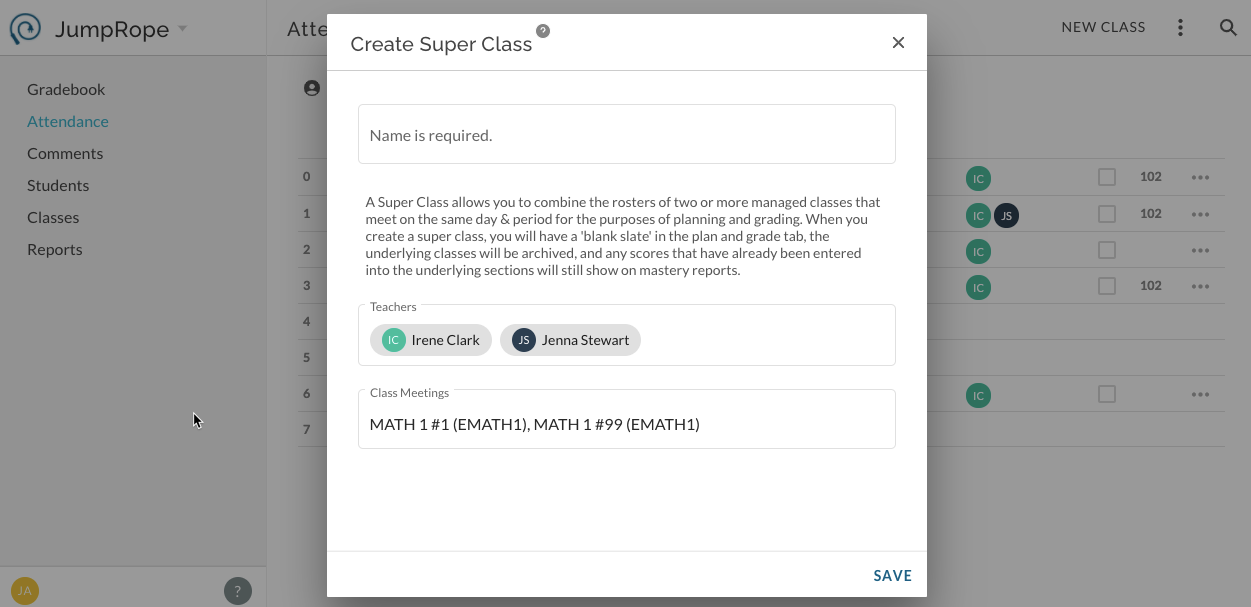
The SuperClass has been created and is identified on Plan and Grade with an * and section "Super".