

The Staff Account details page lets you view and manage account properties and roles. Roles provide access to individual schools within your district - district administrators can be given access to the entire district, or school-based staff can be given access to one or more individual schools.
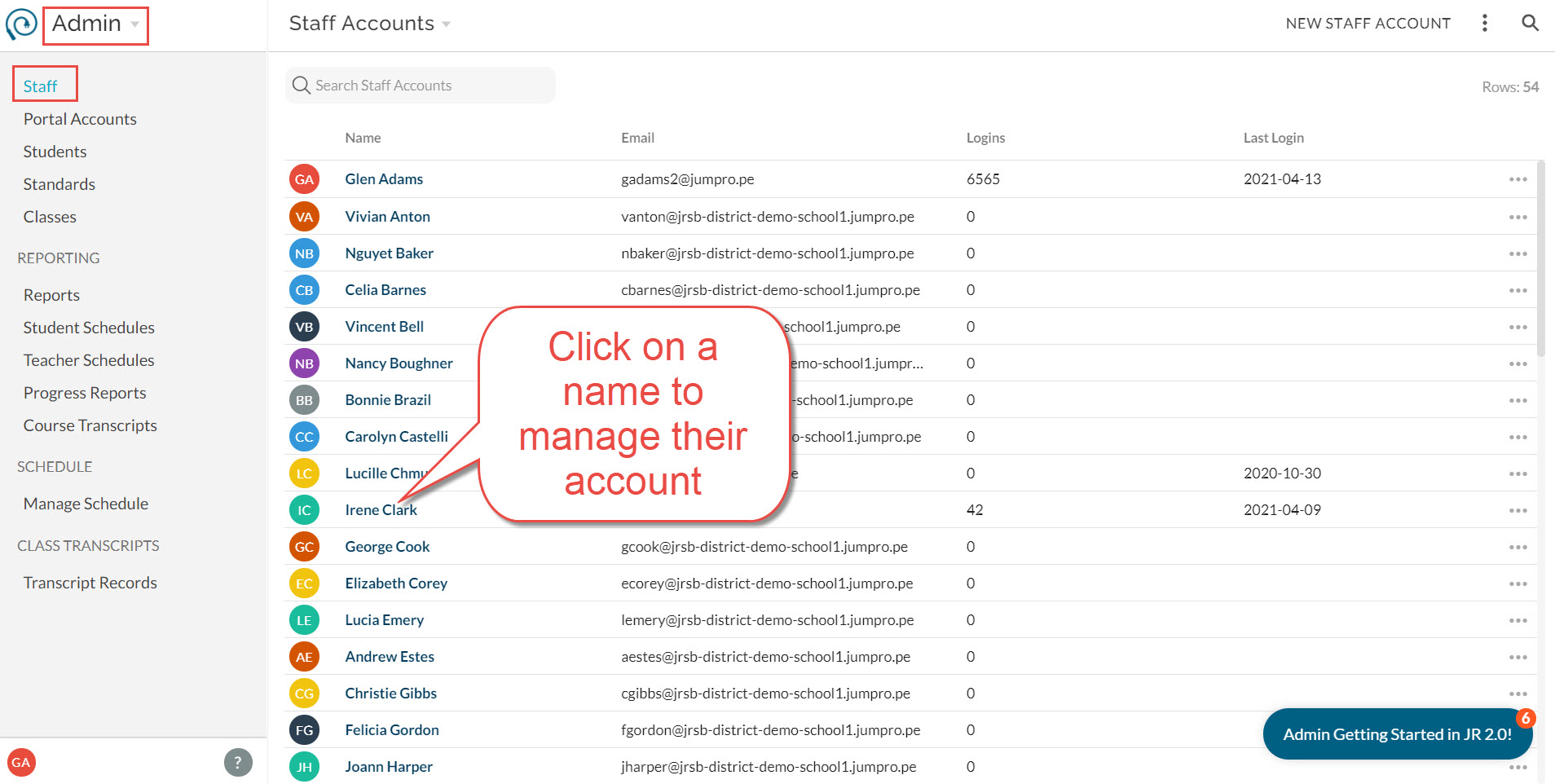
- To edit account properties like name and email , click on the Edit button in the top right.
- Email: the preferred contact email and the email used to log in to JumpRope.
- Nickname: this is the name used in student-facing reports.
- Title: the official job title of the user.
- Profile Image: photo or avatar to represent the user.
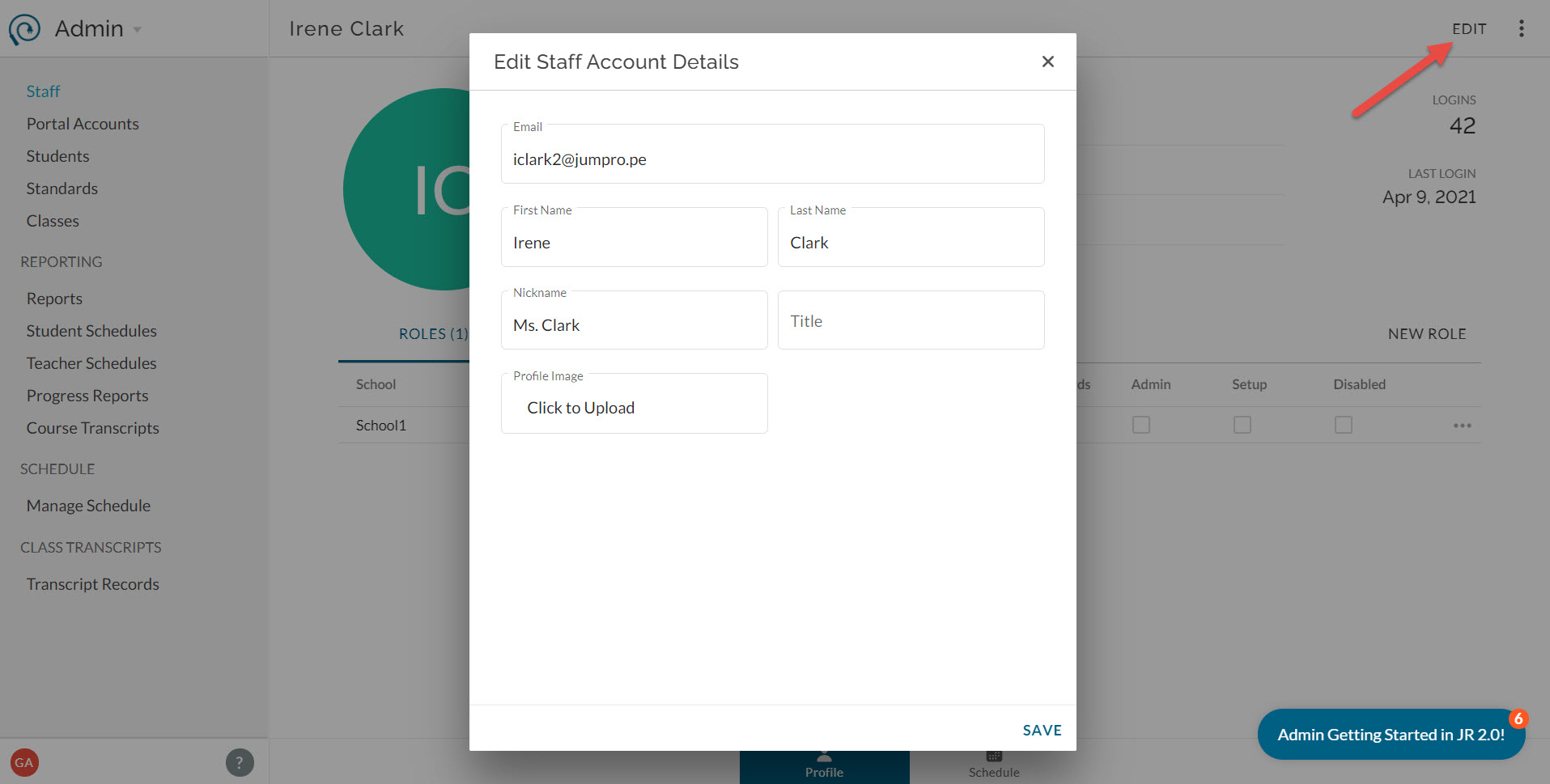
- To add a new role to a staff account , click new role to the top right of the role list.
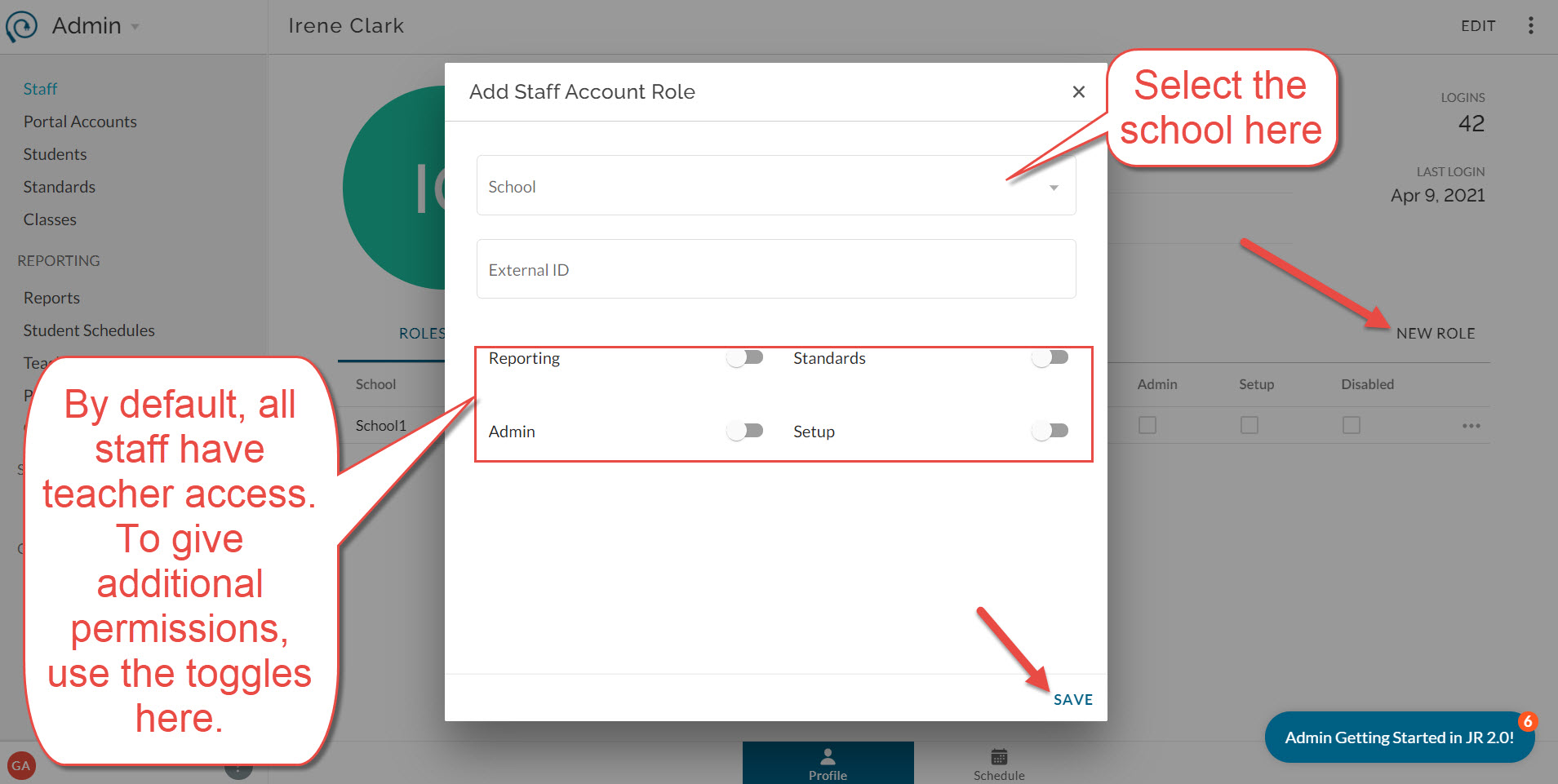
- To edit a role's access or external id , click on the more menu next to the role.
- External ID: optional code to match this user role with sections from the SIS.
- Reporting: allow the user to view school-wide Reports and have read-only access to all students in the school
- Admin: allow the user to manage school, staff, and portal accounts and access the full Admin tool.
- Standards: allow the user to create and edit standards for standards banks shared with the selected school (District Edition only).
- Setup: allow the user to modify configuration options in the Setup module.
- To disable or remove a specific role , click on the more menu next to the individual role.
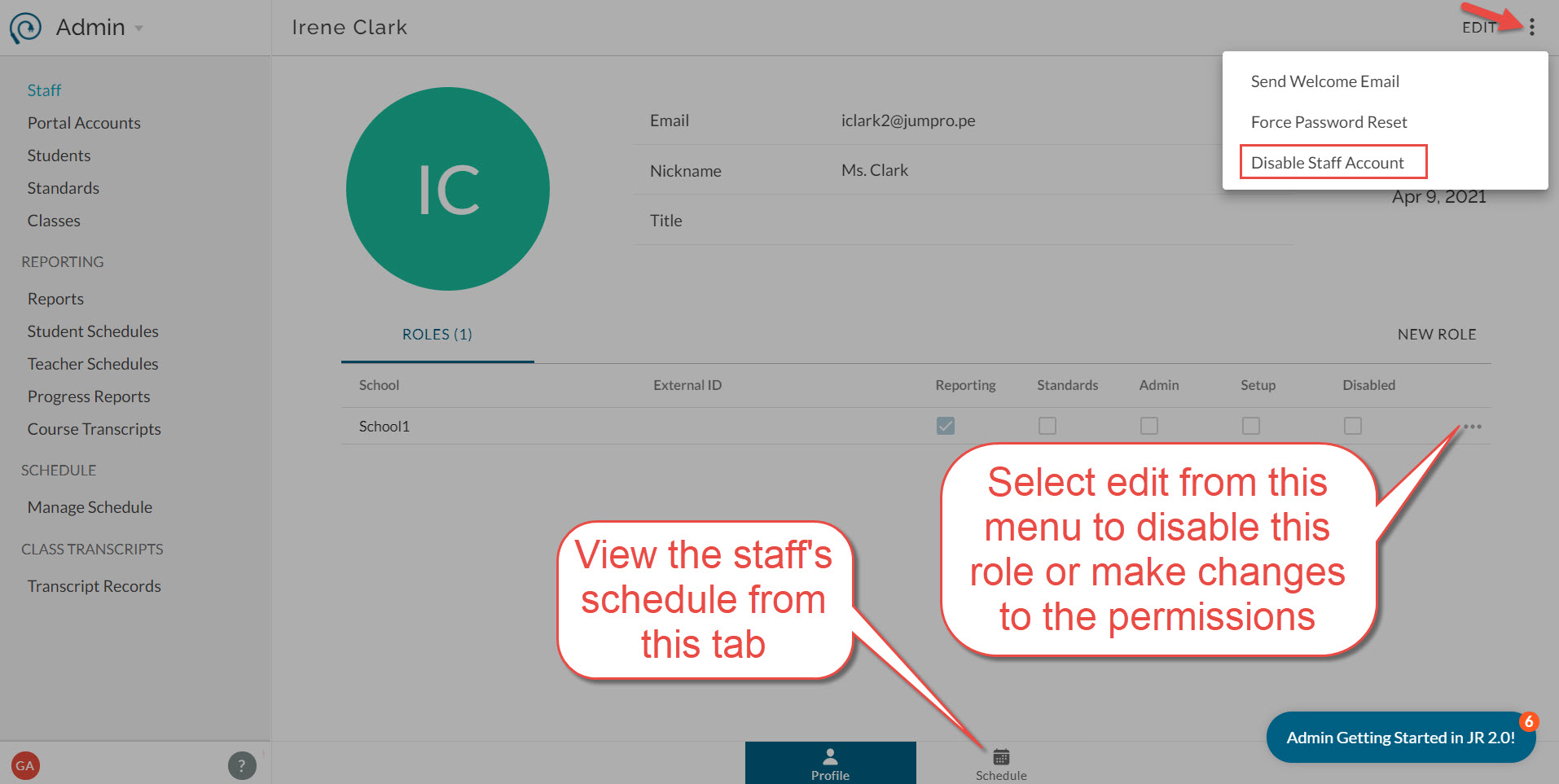
- To disable the entire staff account , use the more menu in the top right of the page.
- To view a class list or schedule for the user , select the Schedule sub-tab on the bottom.
Good to know:
- You cannot delete a staff account or role completely, but you can disable it which prevents access.
- Disabling a role prevents access to a specific school. Disabling the staff account prevents the user from logging in.
- If you give a staff account a role with access to the District account, they automatically get a role for each school in the district if they didn't already have it.
- External ID is used to map the role to class sections when imported from your SIS.