

JumpRope 2.0 User accounts can be permitted access to certain modules/apps and also certain groups of features within the apps. Depending on the permissions on your account, you may or may not have access to all of the menu items and features for a given app.
Navigate between apps permitted to your account by clicking on the app title in the upper left of your account. Within an app, menu items and features permitted to you will be clickable, those that are not will be greyed out.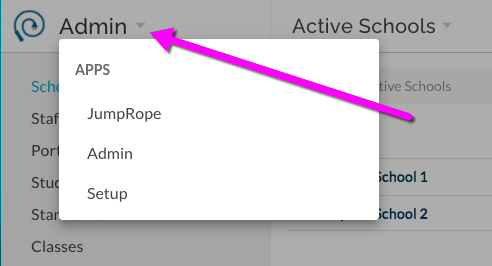
JumpRope
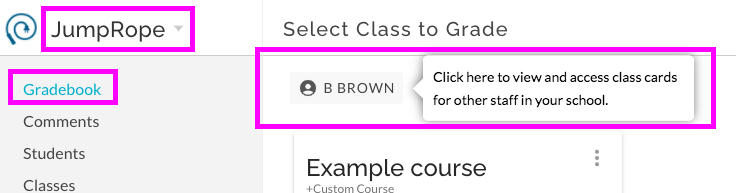
This app is most similar to the Teacher Dashboard module of JumpRope Legacy. Every user account automatically has access. This is the app that teachers will regularly use. Features include:
- Teacher gradebooks with Plan and Grade features; copy and create standards and assessments, enter scores, access standards and assessments from other teachers or from your own previous classes and years.
- Attendance features if enabled. Submit attendance and view attendance reports for your classes.
- Mastery reports for your own classes and for students.
- Internal, anecdotal comments for students.
- Special feature for administrative accounts Access teacher Plan and Grade from your own account:
Admin
This app contains features that were found in both the Admin Console and the Backoffice of JumpRope Legacy. Features from both of those locations have been re-organized here based on their frequency of use; you'll find features here for tasks that you might complete on a weekly or more often basis. They include:
- List of active schools (if more than one school in your organization/district is utilizing JumpRope). This currently includes access to the schools' JR Legacy Admin Console.
- User/Staff account management.
- Family Portal account management.
- Full student body list with access to mastery reports, biographicals, schedule, etc.
- Standards Bank Management
- Full list of classes including mastery reports for each.
- Reporting features including large mastery data reports, progress reports, and student schedules.
- Schedule integration and/or import data.
Setup
The Setup app contains features that you will use on a less frequent basis, perhaps only several times a year. They include:
- Family Portal management
- Curriculum management
- Mastery Report setup