

Environment
- Application: Aeries Parent Portal
- Feature: Parent Data Confirmation (PDC)
- Audience: District and School Administrators
Purpose
To outline the required Portal Group permissions for parents to successfully complete the Parent Data Confirmation process.
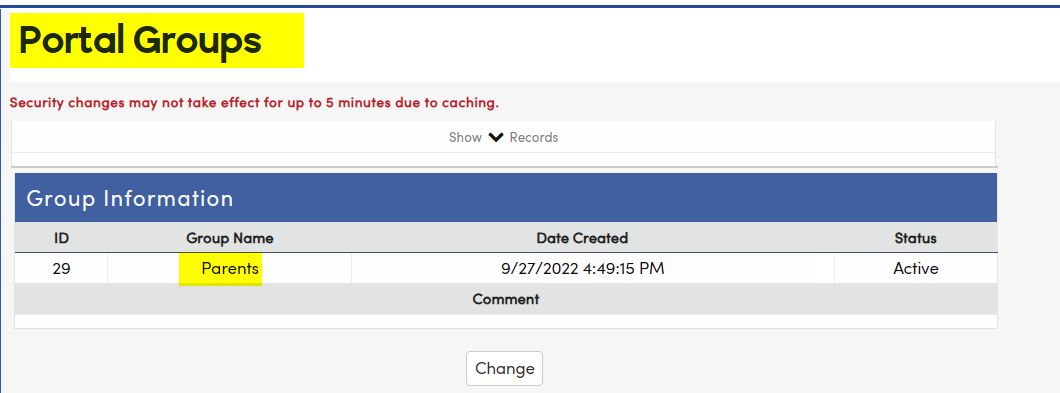
Instructions
What permissions are needed for Student Data?
- The Portal Group for Parents needs:
- Read and Update permissions to STU.

What permissions are needed for Family Information (Foster, Military, Residence Surveys)?
- The Portal Group for Parents needs:
- Read and Update permissions to PRS.

What permissions are needed to Update and Delete Contacts?
- The Portal Group for Parents needs:
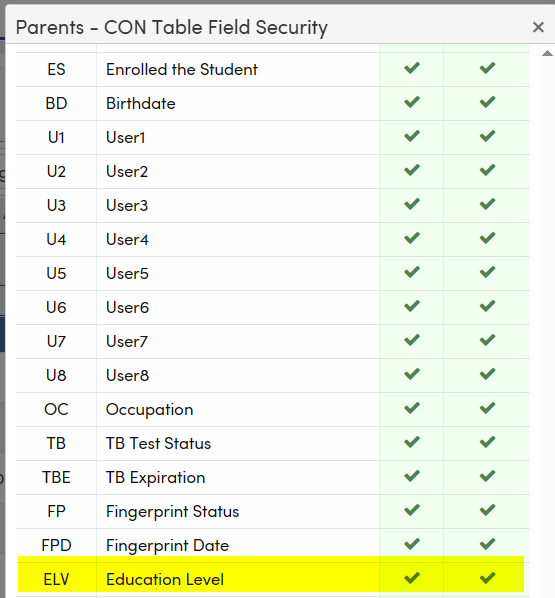
- Read, Insert, Update, and Delete permissions to CON.
- If parents/guardians can update:
- Record Type (CON.CD) → Permissions to CD: Read and Update.
- Education Level (ELV) → Permissions to ELV: Read and Update.


What Permissions are needed for the Income Survey?
- The Portal Group for Parents needs:
- Insert permissions to FRE.

What permissions are needed for Medical Information?
- The Portal Group for Parents needs:
- Read and Update permissions to MHS.

What permissions are needed for Insurance Information?
- The Portal Group for Parents needs:
- Read, Insert, and Update permissions to MII.

What permissions are needed for Authorizations?
- The Portal Group for Parents needs:
- Read and Update permissions to AUT.

What permissions are needed for Portal Document Requests?
- The Portal Group for Parents needs:
- Insert and Delete permissions to Student_Document_Requests.

Additional Information
- Ensure all permissions are correctly configured before opening the Parent Data Confirmation window.
For More Information on Parent Data Confirmation, Click Here: Parent Data Confirmation Setup