

This article details how to allow a teacher access to multiple schools using Flex Scheduling.
1. Navigate to School Info > Staff (STF)
2. Select the applicable Staff Record using the Search Filter
3. Add a Job Assignment (STJ) Record for the additional school
- Ensure the School (if other than current school) field is populated with the additional school
The following fields are used for Texas State Reporting: 
If the teacher has no students at the new school but access is still needed, the additional Teacher-Specific permission to View All Students In Current School will also need to be granted.
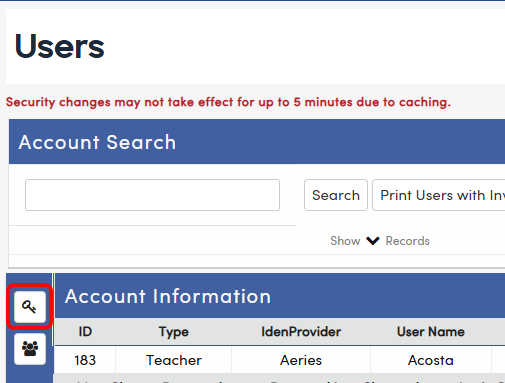
1. Navigate to Security>Users and search for the teacher's User Account (UGN).
2. Select the Permissions icon
3. Remove the Display Current Permissions check box
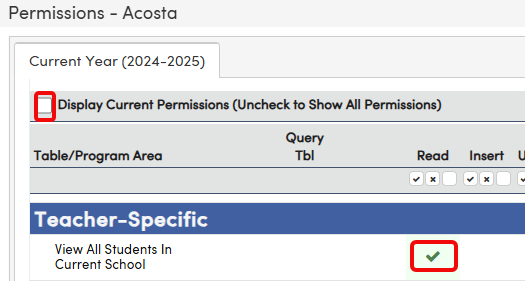
4. Navigate to the Teacher-Specific section, and add Read permissions to View All Students In Current School
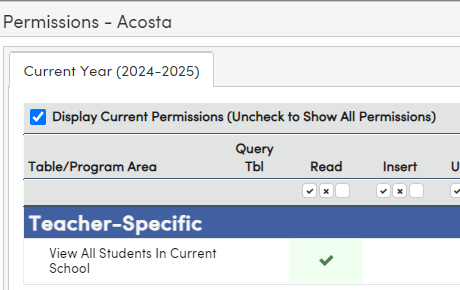
The View All Students In Current School permission may be assigned to all teachers via the Teacher Portal Group, if applicable.